How to delete your Blurcat Account
Go to the delete account Screen
Tap on the 3 lines in the top right corner of the screen and tap "delete account" to open the delete account screen
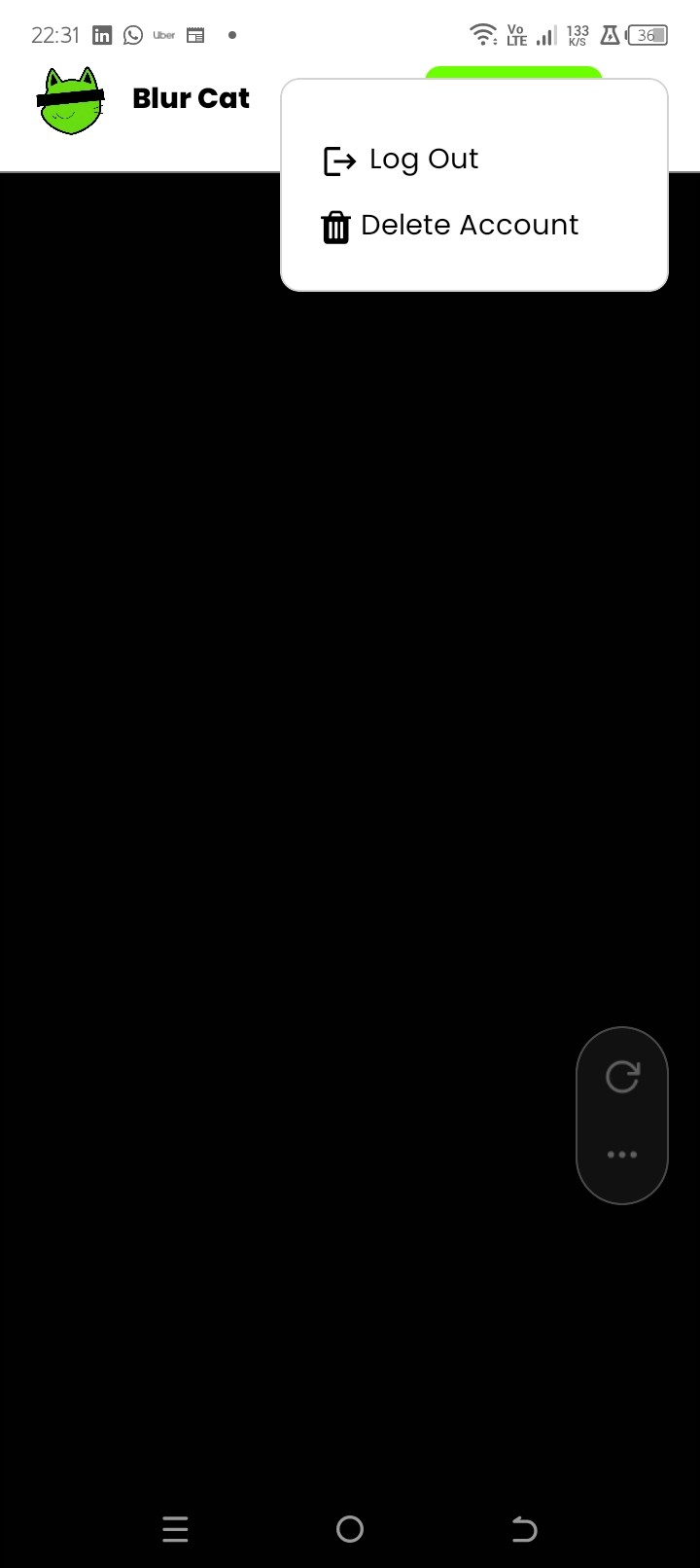
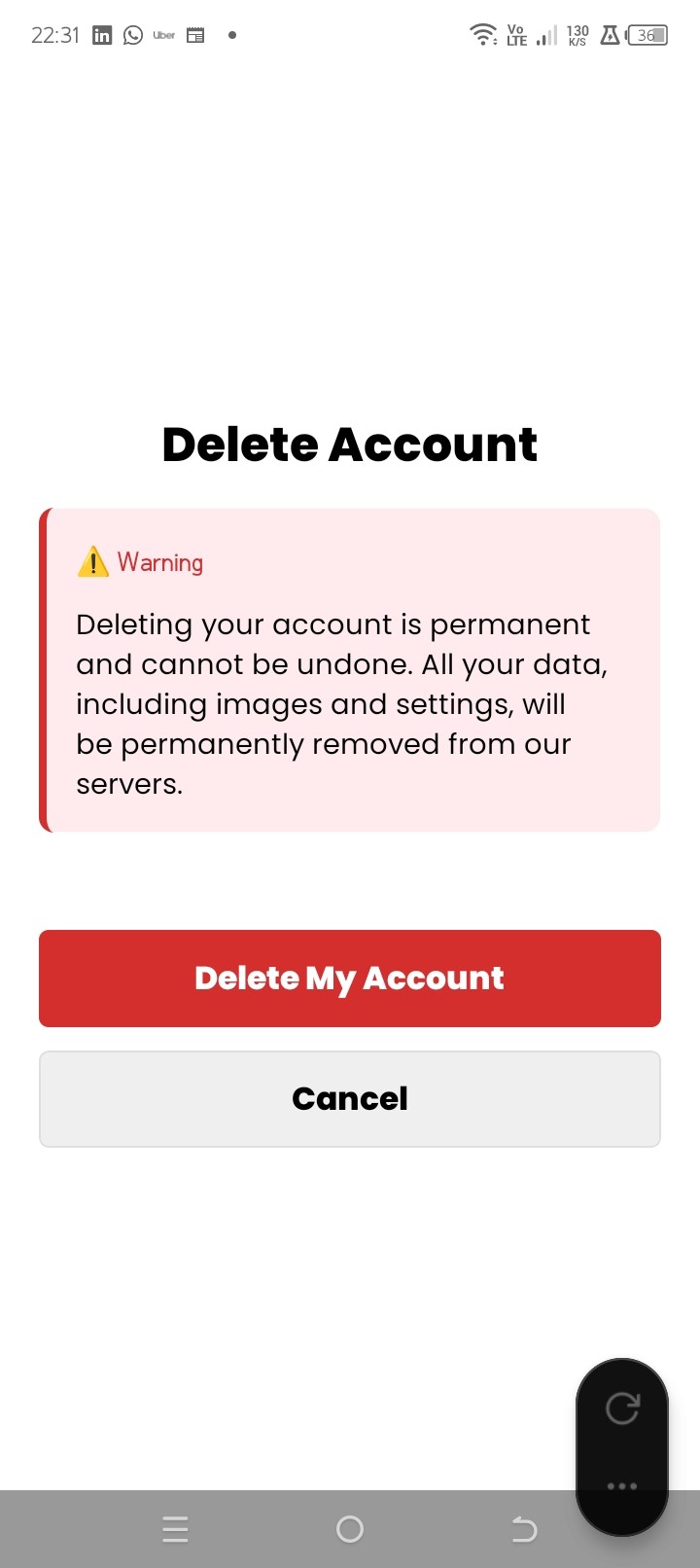
Tap on Delete Account and Confirm
Tap the red delete button to confirm account deletion. This cannot be undone.
Legal
Privacy Policy
Terms and Conditions
© 2025 RABUUK (Pty) Ltd. All rights reserved.